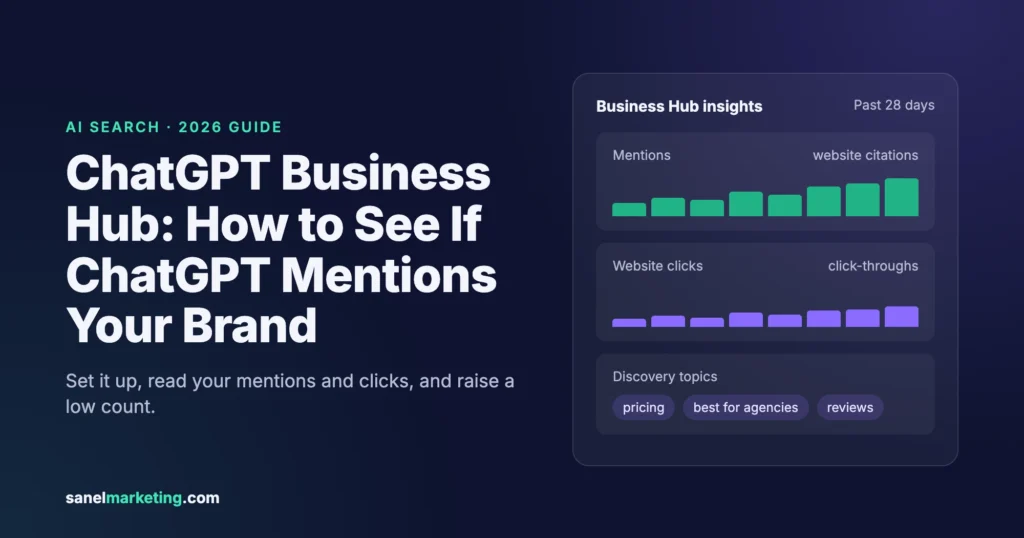
ChatGPT Business Hub is OpenAI’s free dashboard for claiming your business in ChatGPT and seeing how often ChatGPT mentions you. It launched in beta on November 10, 2026. Once verified, it shows your mentions, website clicks and discovery topics for the past 28 days. But for online businesses, a mention only counts when ChatGPT cites your website, so it undercounts. Here’s how to set it up, read the numbers and raise a low count.
KEY TAKEAWAYS
- Business Hub is free. You claim your business, verify it and then see 28 days of insights (OpenAI Help Center).
- For online businesses, a mention only counts when ChatGPT references your website. Your brand name alone doesn’t count.
- Claiming your profile doesn’t guarantee more visibility, and ads don’t influence ChatGPT’s answers.
- To see brand-name mentions Business Hub misses, ask ChatGPT your buyers’ questions and log the answers monthly.
- To raise mentions, get cited on third-party sites. 84% of AI citations come from earned media (Muck Rack, 2026).
What is ChatGPT Business Hub?
ChatGPT Business Hub is where businesses claim their profile in ChatGPT, update their details and see how people engage with them in ChatGPT.
OpenAI launched it on November 10, 2026, as part of Businesses in ChatGPT, a beta aimed at the 1.2 billion people who use ChatGPT each week (OpenAI). It has three parts:
- Your profile: Website, description, category, logo, policies and an optional cover photo.
- Product feeds: Prices and availability, from a CSV, a hosted file or Shopify.
- Business Agent: An optional assistant that answers customer questions about your products, in a chat that’s clearly labeled and separate from ChatGPT’s own answer.
It’s not the same as ChatGPT Business, the paid team plan. Business Hub is about how customers find you in ChatGPT.
Who can use ChatGPT Business Hub?
Any eligible business in a country where ChatGPT is available can claim its profile, as long as you own it or are authorized to represent it.
There are a few limits, according to OpenAI’s setup guide:
- Local stores and restaurants can currently claim only an existing US listing.
- Business Agents launched for eligible US ecommerce and online service businesses. On November 19, 2026, OpenAI opened claiming and agents to ecommerce and online service businesses outside the US (OpenAI).
- Multi-brand companies can’t manage a parent company’s brands and locations centrally yet. Claiming the main brand doesn’t claim its locations.
- Enterprise customers and advertisers claim through their OpenAI representative.
How do I set up ChatGPT Business Hub?
Sign in to ChatGPT, find your business in Business Hub, verify you own it, then update your details.
- Open Business Hub. Sign in to ChatGPT and open Business Hub from the sidebar. Search for your business by name.
- Select your listing. Choose the matching listing and confirm which ChatGPT account will manage it.
- Verify your claim. Use one of the four methods in the table below, then wait for OpenAI’s decision by email.
- Complete Persona identity verification. You may need a government-issued ID, business registration details and proof that you’re authorized.
- Update your business information. Add your website, description, category and logo. Connect a product feed if you sell products.
- Publish a Business Agent (optional). If you’re eligible, write its instructions, preview it with common customer questions and publish it.
| Verification method | How it works |
|---|---|
| Business phone | Get a code by text or automated call |
| Business email | Get a code at your business email address |
| Website domain | Add a TXT record to your DNS, then select Verify domain |
| Shopify store | Connect Shopify and log in to the store you’re claiming |
Claiming alone doesn’t give you the verified badge. The blue check only appears after Persona approves your identity. OpenAI also reviews profile changes before they go live, so updates can take time to show.
What does ChatGPT Business Hub show you?
Business Hub shows four main metrics for the past 28 days: mentions, website clicks, discovery topics and profile views.
| Metric | What it means |
|---|---|
| Mentions | For online businesses, ChatGPT referenced your website. For local businesses, ChatGPT showed a result for your location |
| Website clicks | How often people clicked through to your website |
| Discovery topics | Common themes in ChatGPT answers that mentioned or cited you |
| Profile views | Views of your ChatGPT profile. OpenAI hasn’t defined this one in detail yet |
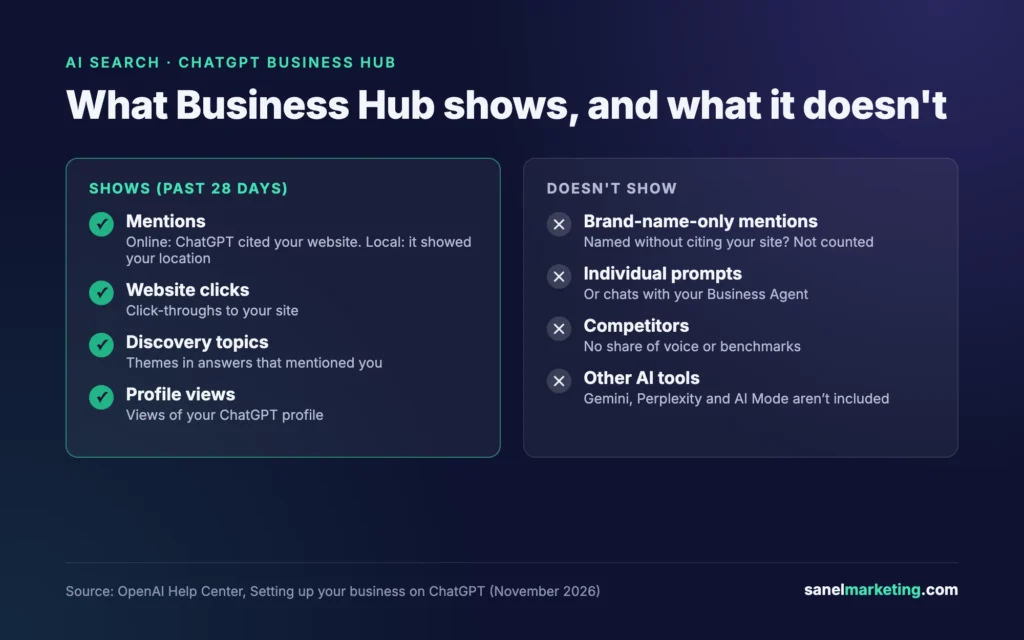
What it doesn’t show matters just as much. You won’t see individual prompts, chats with your Business Agent, competitor data or other AI tools like Gemini and Perplexity. OpenAI says it doesn’t share users’ conversations with businesses.
For a sense of scale, OtterlyAI shared 7 days of its own data: 55,939 mentions and 329 website clicks, a click-through rate of about 0.6% (OtterlyAI). Most people read the answer and never click.
Why are my ChatGPT mentions low or blank?
Usually because Business Hub only counts website citations, or because you haven’t reached its reporting threshold yet.
- Brand-name mentions don’t count. For an online business, ChatGPT can recommend you by name and it won’t show as a mention unless it references your website.
- Thresholds hide small numbers. Insights only appear once there are enough conversations. A blank metric doesn’t necessarily mean zero.
- Data takes time. A newly claimed profile may still be collecting data.
- ChatGPT really isn’t citing you yet. If your site isn’t one of the sources ChatGPT trusts for your topic, it will cite others.
Treat Business Hub as your floor, not your full picture.
How do I see if ChatGPT mentions my brand without Business Hub?
Ask ChatGPT the questions your buyers ask, log what it says, and track AI referrals in your analytics.
- Write 10 to 20 buyer prompts. Use real questions, like “best [service] for [type of business] in [city]” or “who can help with [problem].”
- Run them in ChatGPT every month. Use a fresh chat each time. Note whether you’re named, whether your site is cited, and which competitors appear.
- Repeat in Google AI Mode, Gemini and Perplexity. Business Hub only covers ChatGPT.
- Check GA4 for chatgpt.com referrals. Many AI-driven visits still show up as direct or organic traffic, so referrals are a minimum (Neil Patel).
- Ask every new lead how they found you. Include “ChatGPT or another AI tool” as an option.
Tools like OtterlyAI and Rank Math’s AI Visibility module can automate the prompt checks if you track many brands.
How do I get ChatGPT to mention my brand more?
Get mentioned on the sites ChatGPT already trusts, make your own pages easy to quote, and keep your listings accurate.
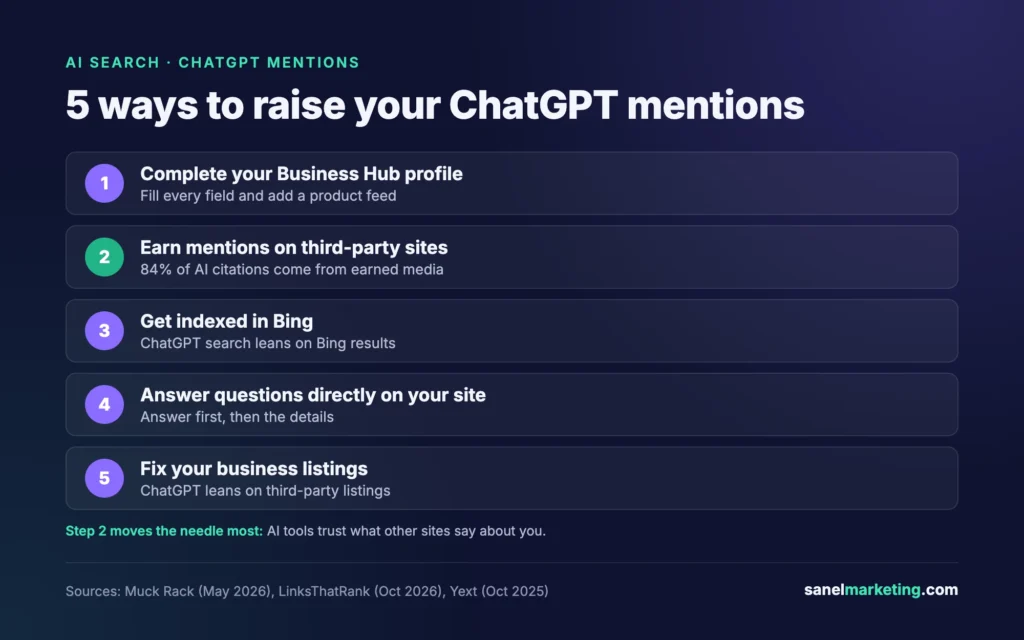
- Complete your Business Hub profile. OpenAI says accurate information improves how you’re represented. Fill every field, and connect a product feed if you sell online.
- Earn mentions on third-party sites. 84% of AI citations come from earned media, like news, reviews and roundups (Muck Rack). Journalist requests are one of the fastest ways in. See how to earn links from journalist requests.
- Get indexed in Bing. ChatGPT search leans on Bing. LinksThatRank reports 87% of ChatGPT citations come from Bing’s top 20 results (LinksThatRank). Submit your sitemap in Bing Webmaster Tools.
- Answer questions directly on your site. Put the answer in the first sentence under each heading, and cite your sources. Here’s the full checklist for getting cited in AI answers.
- Fix your business listings. ChatGPT leans heavily on third-party listings (Yext), and its local business info was only about 68% accurate in SOCi’s 2026 study. Use the citation cleanup checklist to fix them.
Then recheck your Business Hub numbers and your prompt log every month. Changes don’t show up in every answer right away.
Does claiming my business improve ChatGPT recommendations?
No. OpenAI says claiming doesn’t guarantee more visibility or control over ChatGPT’s recommendations, and advertising doesn’t influence its answers.
What claiming does give you is accurate details, a verified profile, first-party data and, if you’re eligible, a Business Agent. That’s worth having. But ChatGPT still decides what to recommend based on its sources, which is why the steps above matter more than the claim itself.
For more data on how AI tools pick local businesses, see the AI search statistics for local businesses.
Frequently asked questions
Is ChatGPT Business Hub free?
Yes. OpenAI doesn’t charge to claim your business, verify it or see insights. Advertising in ChatGPT is separate and optional.
Can local businesses use ChatGPT Business Hub?
Yes, but local stores and restaurants can currently claim only an existing US listing. For a local business, a mention counts when ChatGPT shows a result for your location.
Does ChatGPT Business Hub show which prompts mention me?
No. It shows aggregate mentions, website clicks and discovery topics, but not individual prompts or conversations.
Why doesn't Business Hub count my brand mentions?
For online businesses, Business Hub counts a mention only when ChatGPT references your website. If ChatGPT names your brand without citing your site, it isn’t counted.
Is ChatGPT Business Hub the same as ChatGPT Business?
No. ChatGPT Business is a paid plan for teams. Business Hub is a free tool for managing how your business appears to customers in ChatGPT.
How often should I check my ChatGPT mentions?
Monthly. Business Hub covers the past 28 days, so a monthly check lines up with its data. Run your buyer prompts at the same time.