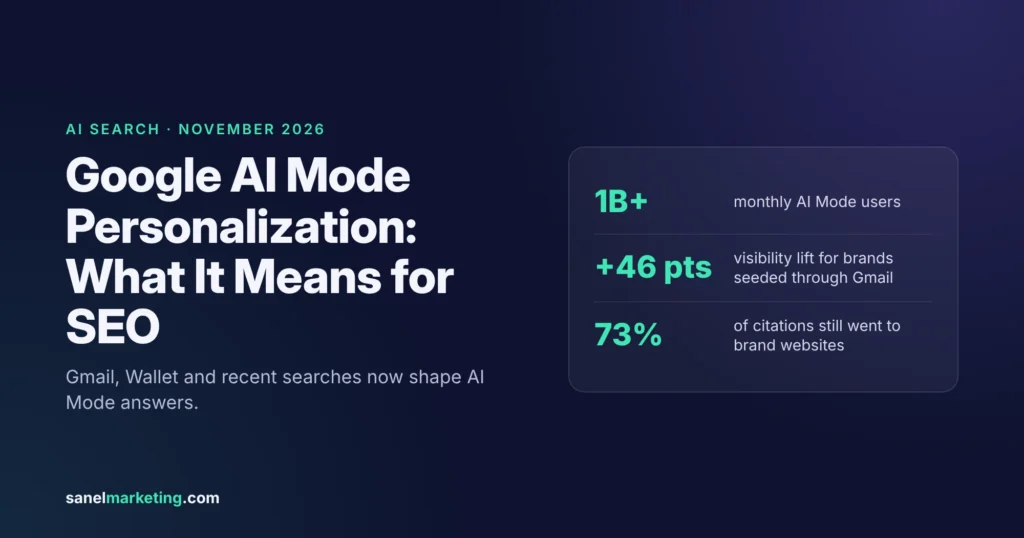
Google AI Mode personalization means two people asking the same question can now get different answers. Since November 23, 2026, AI Mode can use your recent searches and, if you opt in, Gmail, Calendar, Photos and Google Wallet. For SEO, that makes rankings harder to track but doesn’t replace the web. In one test, 73% of the sources AI Mode cited for personalized brand picks were brand websites. Here’s what changed, how it affects Google AI Mode SEO and what to do about it.
KEY TAKEAWAYS
- On November 23, 2026, Google added Wallet to Personal Intelligence in AI Mode. Drive and the Gemini app come next, and AI Overviews and AI Mode now draw on your recent searches (Google).
- Personal data can change which brands AI Mode recommends. In iPullRank’s test, brands seeded through Gmail and Photos went from 23.9% to 66.8% of answers.
- Product categories moved most. Trust-heavy services like banks and SEO agencies barely moved.
- Websites still matter. 73% of citations in that test pointed to brand websites, and fake brands with no web presence were never cited.
- AI Mode rank trackers can’t see personalized answers. Treat their numbers as a baseline, not what every customer sees.
What is Google AI Mode personalization?
It’s AI Mode tailoring its answers to you, using your Google activity and any Google apps you connect. Google calls the feature Personal Intelligence.
There are two layers:
- Recent searches. AI Overviews and AI Mode now use your recent search context, so a trip you researched yesterday can shape today’s answer.
- Connected apps. If you opt in, AI Mode can read Gmail, Google Calendar, Google Photos and Google Wallet. Google Drive and the Gemini app are coming next.
When AI Mode uses personal context, it shows “Checking Connected Apps” while it works. You can rerun the answer with “Try without personalization”.
Google says you can turn connections on or off at any time, and turn off personalization in your Search settings. Personal Intelligence needs a personal Google account, not a work or school one, and you have to be 18 or older.
What changed in November 2026?
Three things, in three weeks: Google started pushing the opt-in, upgraded the AI Mode model and added new data sources.
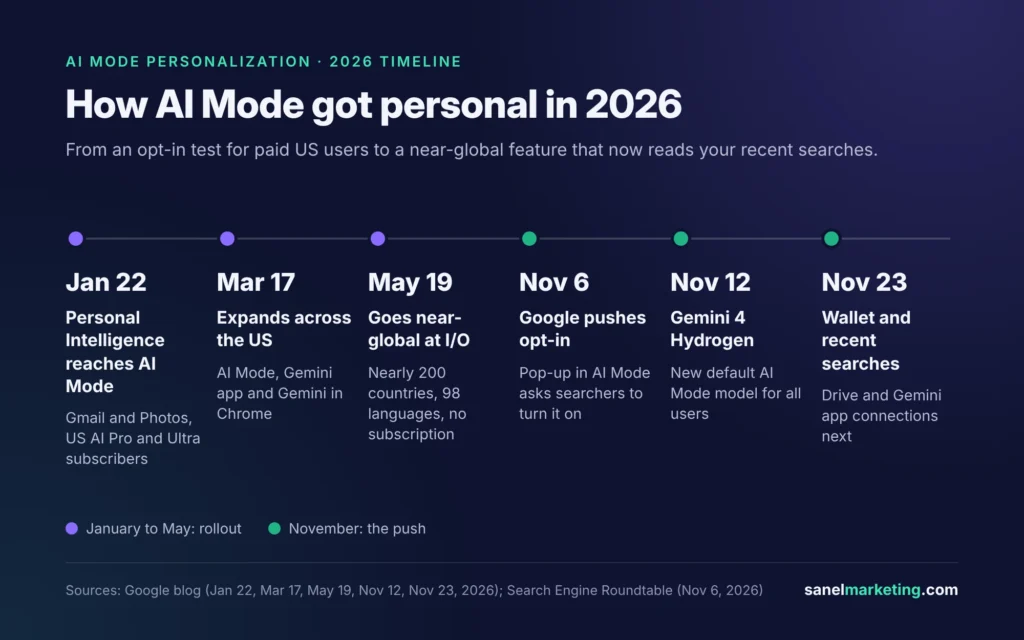
Date | What happened |
Jan 22, 2026 | Personal Intelligence came to AI Mode with Gmail and Photos, for US AI Pro and Ultra subscribers |
Mar 17, 2026 | It expanded across the US in AI Mode, the Gemini app and Gemini in Chrome |
May 19, 2026 | At I/O, Google expanded it to nearly 200 countries in 98 languages, without a subscription |
Nov 6, 2026 | AI Mode started showing a pop-up asking searchers to turn it on |
Nov 12, 2026 | Gemini 4 Hydrogen became the default AI Mode model for all users |
Nov 23, 2026 | Wallet connection and recent-search personalization rolled out. Drive and the Gemini app were announced for the coming weeks |
Google also says a “Personalization” icon is coming. It will sit under tailored answers and show which context AI Mode used.
The scale is why this matters. Google says AI Mode passed 1 billion monthly users in May 2026, and the November pop-up shows Google wants more of them opted in.
Does personalization change which brands AI Mode recommends?
Yes, and by a lot in some categories. The clearest data comes from iPullRank, which seeded brand emails and photos into a Google account connected to Personal Intelligence and compared it with a blank control account (iPullRank).
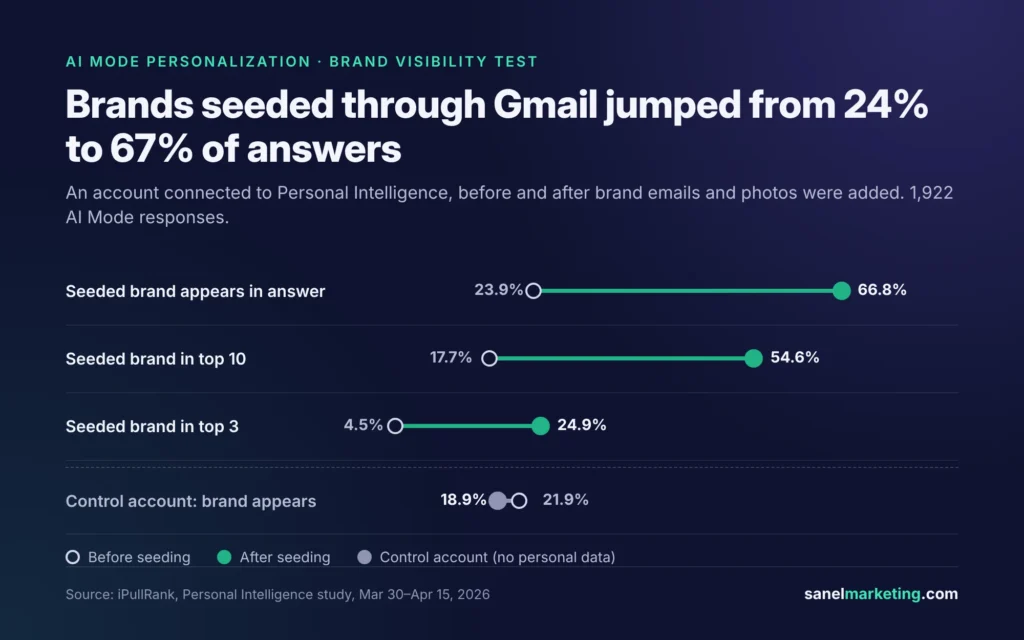
Across 1,922 AI Mode responses between March 30 and April 15, 2026:
Seeded brand… | Before | After |
Appeared in the answer | 23.9% | 66.8% |
Made the top 10 | 17.7% | 54.6% |
Made the top 3 | 4.5% | 24.9% |
Control account: appeared | 21.9% | 18.9% |
Gmail did most of the work. Brands seeded by email showed up in 53.6% of responses, compared with 10.5% for brands seeded through photos.
The lift wasn’t even across categories:
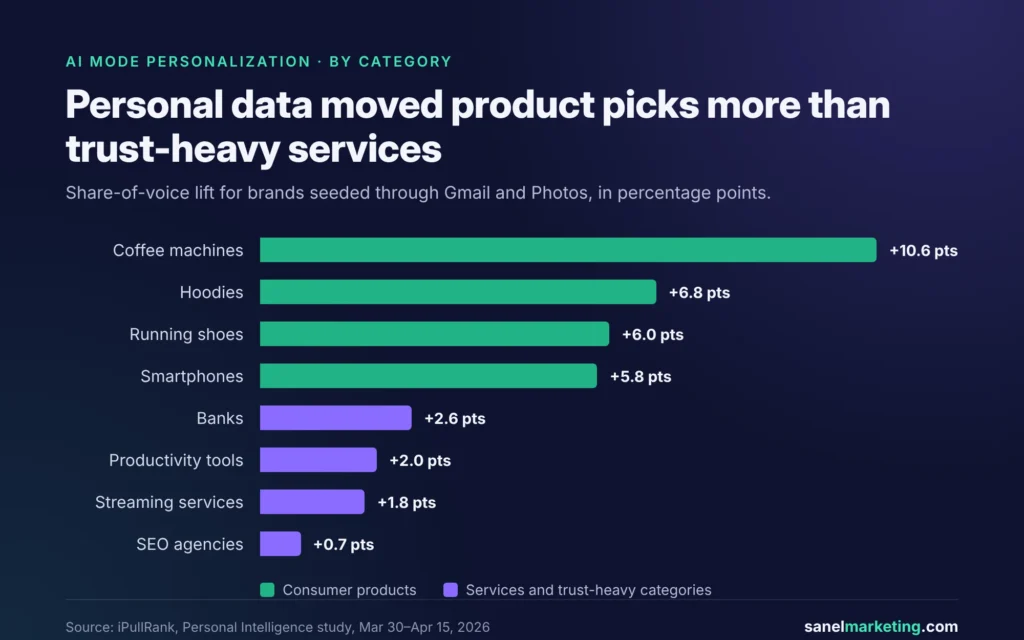
Coffee machines, hoodies, running shoes and smartphones moved most. Banks, productivity tools, streaming services and SEO agencies barely moved. When the decision carries more risk, AI Mode leaned less on what’s in your inbox.
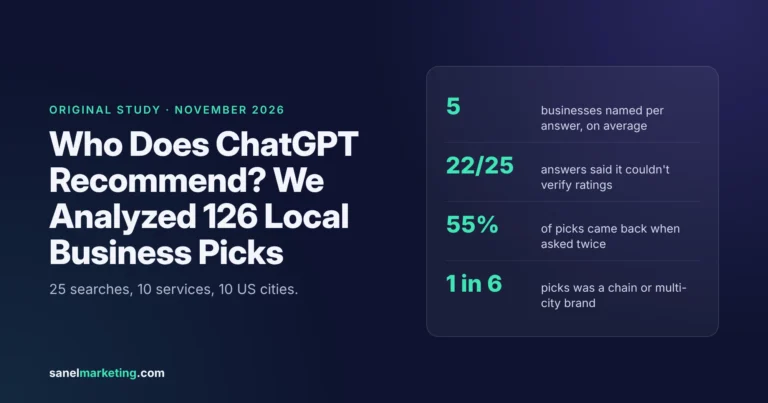
We saw the same pattern in ChatGPT. In our study of 126 ChatGPT local business picks, a brokerage tied to the account’s past chats ranked #1 with memory on and didn’t appear at all with memory off.
“You can’t get into someone’s Gmail, and you shouldn’t try. What you can do is be the brand they already bought from, already got a useful email from and already saw mentioned somewhere they trust.“
Sanel “Nel” Espina, SEO Specialist
Does SEO still work in Google AI Mode?
Yes. Personalization changes which brands rise to the top for one person, but AI Mode still builds its answers from web pages.
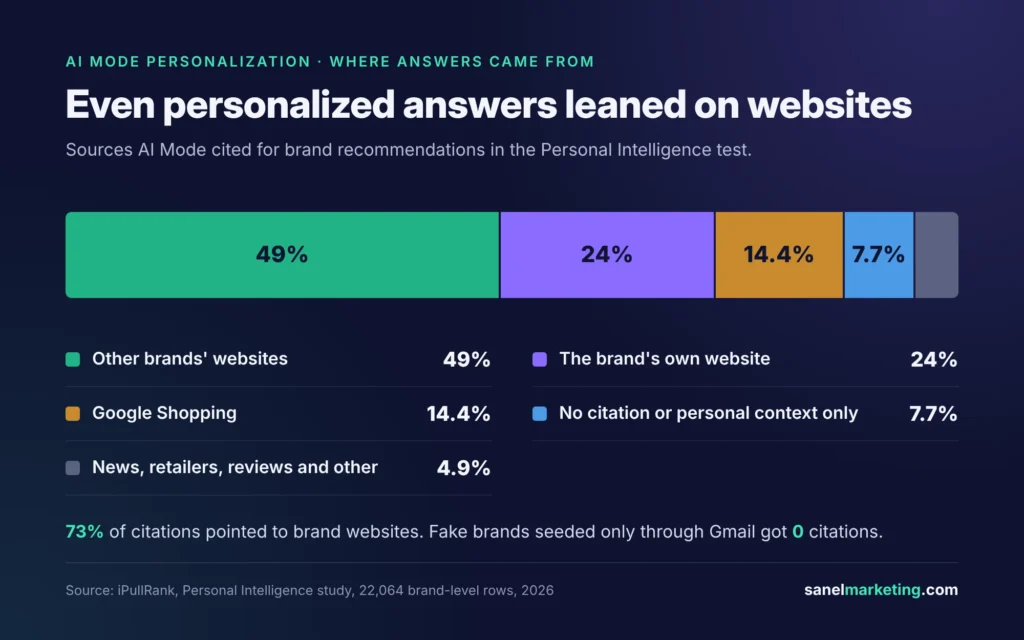
In the iPullRank test, 49% of citations went to other brands’ websites, 24% to the brand’s own site and 14.4% to Google Shopping. Only 7.7% had no web citation or relied on personal context alone. Fake brands seeded only through Gmail appeared in answers but were never cited, because there was nothing on the web to cite.
Google’s own guidance hasn’t changed either. It says there are no extra requirements or special optimizations to appear in AI Overviews or AI Mode, and that SEO fundamentals still apply (Google Search Central). AI Mode also runs many related searches behind the scenes, a technique Google calls query fan-out. Your pages can show up for questions the user never typed.
How do you measure SEO in Google AI Mode now?
Measure a baseline, then the signals personalization can’t hide. A single ranking position no longer describes what your customers see.
What you measure | What it tells you | What it misses |
AI Mode rank tracker | Whether you appear for a clean, logged-out query | Every answer shaped by a user’s history or connected apps |
Prompt sets across personas | How often you appear across different phrasings and user types | Real users’ private data |
Search Console Generative AI report | How often Google’s AI features show your pages | Clicks and the queries behind them |
GA4 organic and AI traffic | Visits that reach your site | Answers where no one clicked |
Branded searches and “How did you hear about us?” | Whether AI answers are building demand | Exact attribution |
How to set it up:
- Keep a rank tracker, but call it a baseline. AI Mode trackers query from clean sessions. They show where you stand with no personal context, which is still useful for spotting trends.
- Track appearance rate, not just position. Run 10–20 real customer questions each month, in several phrasings, and log how often you’re named and cited.
- Test with and without personalization. Use “Try without personalization” in your own account to see how much your history changes the answer.
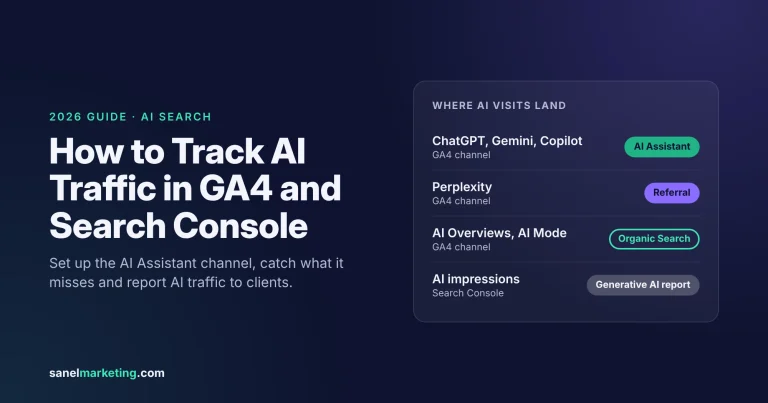
- Watch the signals AI leaves behind. Branded searches, direct traffic and leads who say they found you through Google’s AI all go up when AI Mode recommends you. Here’s how to track AI traffic in GA4 and Search Console.
“Rank tracking used to answer ‘where do we rank?’ Now it answers ‘where do we rank for someone with no history?’ That’s still useful, but it’s a baseline, not the whole picture.“
Sanel “Nel” Espina, SEO Specialist
How do you rank in Google AI Mode with personalization on?
Win the web first, then earn a place in your customers’ Google accounts the honest way: as a brand they’ve actually used.
- Make your site easy to cite. Answer specific, long questions directly on your pages. AI Mode questions run long, and fan-out looks for pages that match each sub-question. Here’s how to get cited in AI Overviews and AI Mode.
- Get mentioned on other sites. Nearly half the citations went to other brands’ websites, which include reviews, comparisons and roundups. Digital PR and journalist requests get you onto those pages.
- Keep your listings and product feeds accurate. Google Shopping supplied 14.4% of citations. Keep Merchant Center feeds and your business listings consistent.
- Send emails customers actually want. Order confirmations, receipts, product guides and renewal reminders put your brand name in the inbox people have connected. Only email people who opted in. Spam won’t help and can hurt your sender reputation.
- Build repeat customers. Past purchases and preferred brands are exactly what Personal Intelligence uses to tailor shopping answers. Loyalty is now a visibility signal.
- Expect less movement in trust-heavy niches. If you sell legal, financial or agency services, web authority and reviews still carry most of the weight.
What should agencies tell clients about AI Mode personalization?
Tell them their AI Mode visibility is now partly personal, so reports show a baseline plus trends, not one number.
- Reset expectations on rankings. A client checking AI Mode from their own account will see answers shaped by their own history. That’s not what their customers see.
- Report appearance rate and citations alongside rankings. Show how often the brand is named across a fixed set of questions, and where it’s cited from.
- Tie email and CRM into SEO. The emails a business sends now help decide whether its brand comes up for that customer later.
- Don’t promise personalization wins. No one can see or control what’s in a searcher’s Gmail. Focus on what you can control: the web, reviews and customer experience.
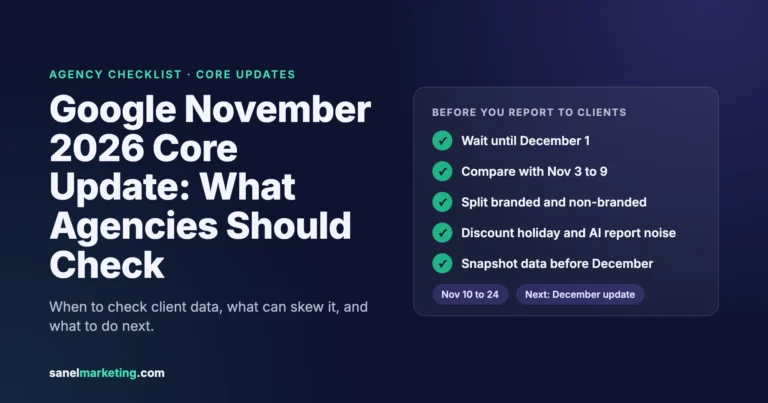
If client traffic dipped this month, check the timing first. The November 2026 core update and the Gemini 4 Hydrogen switch landed in the same window.
Frequently asked questions
What is Google AI Mode personalization?
It’s AI Mode tailoring answers to you using your recent searches and, if you opt in, connected Google apps like Gmail, Calendar, Photos and Wallet. Google calls the feature Personal Intelligence.
What is Google Personal Intelligence?
Personal Intelligence is Google’s feature that connects your Google apps to AI Mode, the Gemini app and Gemini in Chrome so their answers fit your plans, purchases and preferences. It’s opt-in and works only with personal Google accounts.
How do I turn off personalization in Google AI Mode?
Open Search personalization from your Google profile, select Connected Apps and switch off any app you don’t want AI Mode to use. You can also turn off personalization in your Search settings.
Does SEO still work in Google AI Mode?
Yes. Google says AI Mode needs no special optimization and SEO fundamentals still apply. In iPullRank’s test, 73% of citations in personalized answers pointed to brand websites.
Can rank trackers see personalized AI Mode results?
No. AI Mode rank trackers check answers from clean sessions without a user’s history or connected apps. Use them as a baseline and add appearance rate, citations and branded search trends.
Does Google use my Gmail to train its AI?
Google says Gemini and AI Mode don’t train directly on your Gmail inbox or Google Photos library. It does train on limited information, such as your prompts and the model’s responses.